
DOWNLOAD THE APP


Customer Services
Copyright © 2025 Desertcart Holdings Limited
DOWNLOAD THE APP
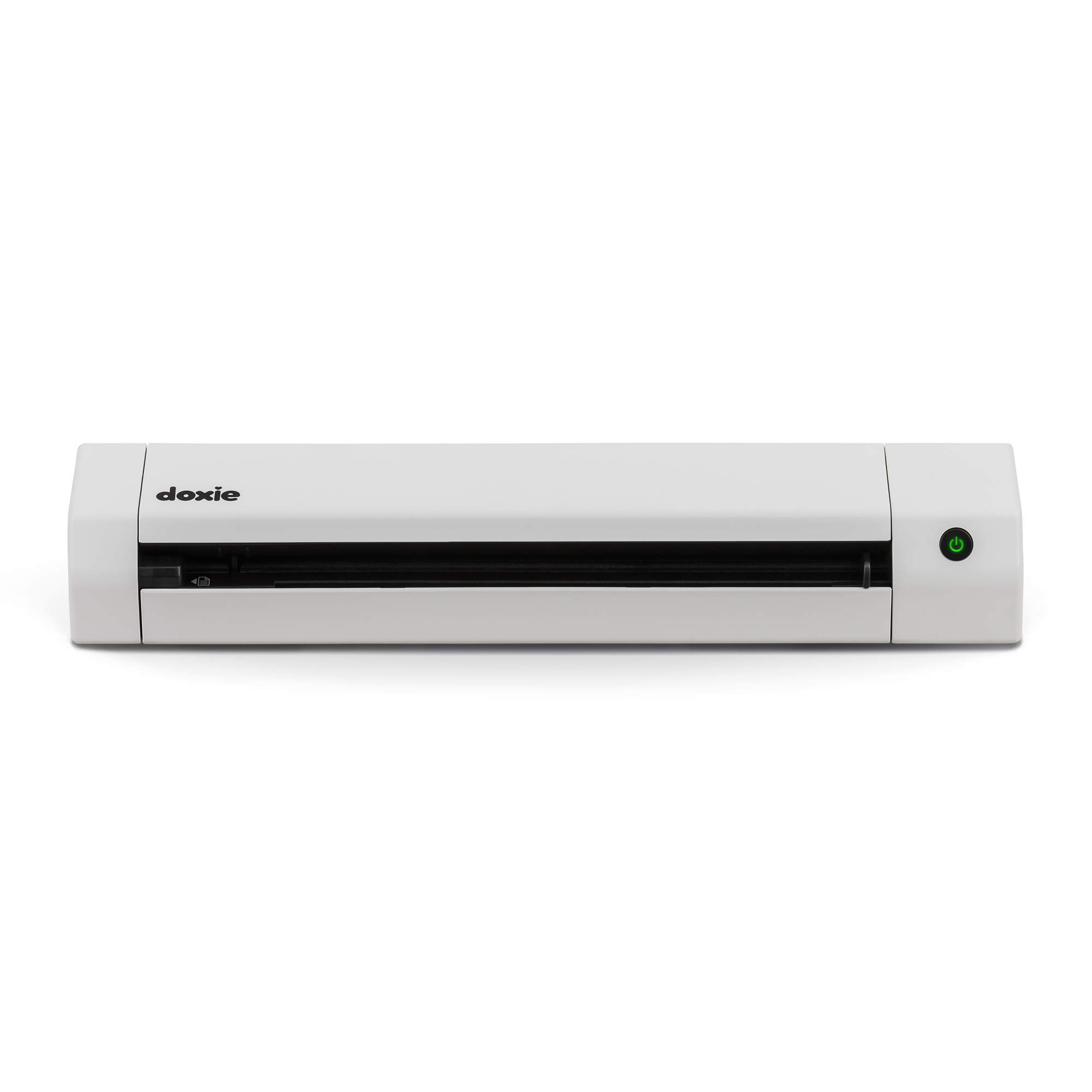


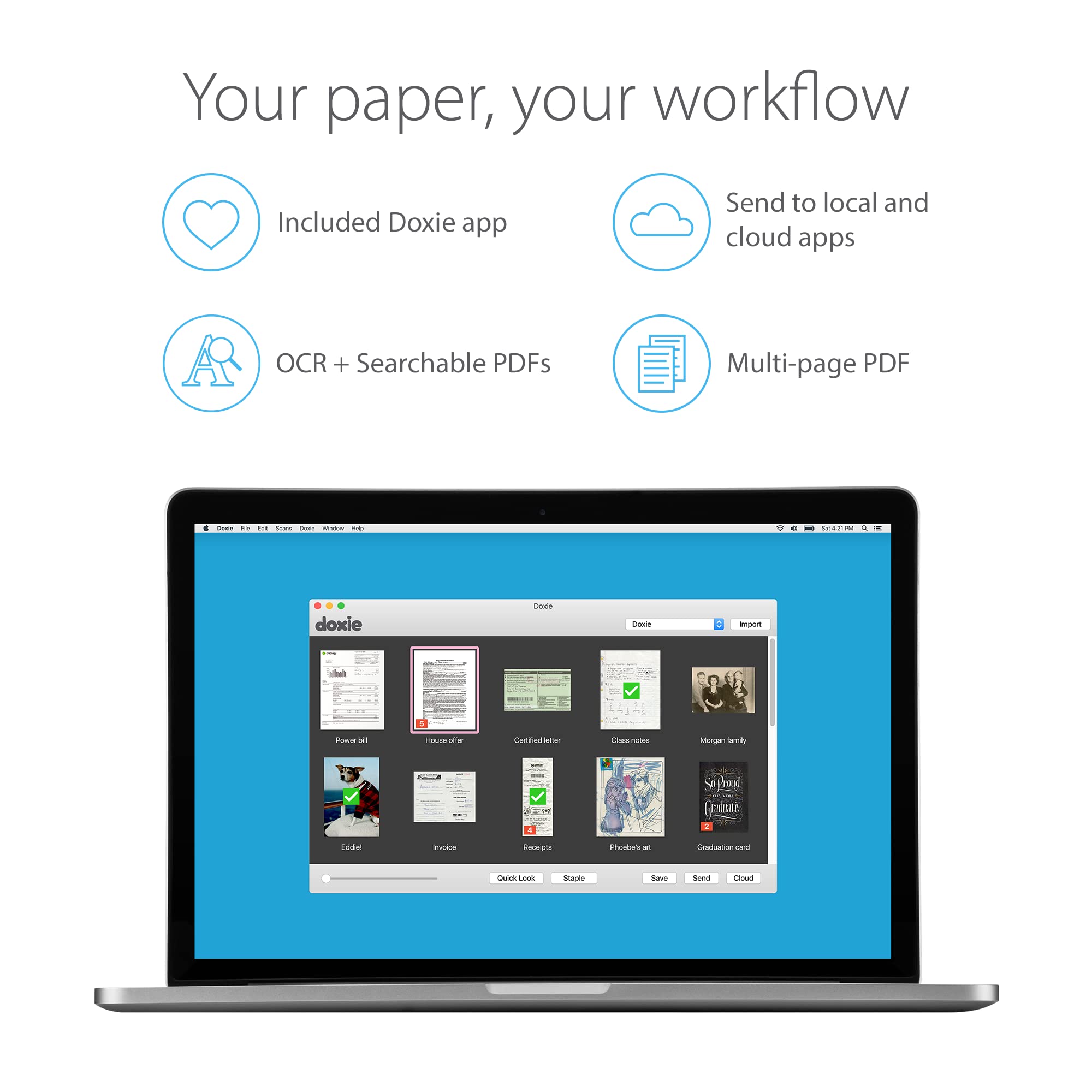

📄 Scan smarter, not harder — your paperless future starts now!
The Doxie Go SE is a compact, rechargeable portable document scanner delivering fast, high-resolution (600 dpi) full-color scans in just 8 seconds. It stores up to 8,000 pages internally and syncs effortlessly with popular cloud apps via its intuitive software featuring award-winning OCR. Designed for professionals balancing home, office, and remote work, it offers a seamless paperless experience without needing a computer during scanning.




| ASIN | B073H7V4DM |
| Best Sellers Rank | #36,423 in Office Products ( See Top 100 in Office Products ) #40 in Document Scanners |
| Brand | Doxie |
| Color Depth | 24 bits |
| Connection Type | USB |
| Connectivity Technology | USB |
| Customer Reviews | 4.5 out of 5 stars 4,137 Reviews |
| Item Dimensions D x W x H | 12.2"D x 2.25"W x 1.75"H |
| Item Type Name | Scanner |
| Item Weight | 1.18 Pounds |
| Manufacturer | Doxie & Co. |
| Media Type | USB |
| Minimum System Requirements | macOS 10.10.5 or later, Windows 7 or later |
| Model Name | Go SE |
| Optical Sensor Technology | CCD |
| Paper Size | Letter, A4 |
| Product Dimensions | 12.2"D x 2.25"W x 1.75"H |
| Resolution | 600 |
| Scanner Type | Document |
| Standard Sheet Capacity | 400 |
| UPC | 662425080717 |
| Unit Count | 1.0 Count |
T**J
We love this!! BUT only after you figure it out a few finer details.
SEE EDIT AT BOTTOM: We love this BUT only after you figure it out the finer details. My wife wants to scan all of our old photos pre-digital so I got her this to help with that mission (we have MANY photos). I have 3 scanners or all in ones in my house and I will say the Doxie Plus is the ONLY way to go for mass scanning images that are 8x10 or smaller. That is all you need to know on the positive and now I will address the issues I had. I am a techi so I assume this can be used without any reading but that is not he case. I did glance over documentation and see that it has built in memory but you can add more via the SD slot. So I grabbed a spare 64gb card and stuck it in there. It would not power on and stop blinking like it was supposed to. After digging I find out that it ONLY supports special SD cards (really!!!!) That is absolutely ridiculous, but there is actually plenty of built in memory. So I removed the SD card and it powers up fine. In the process of trying to figure out the bootup problem (having standard SD card in slot), I tried to locate a "Calibration PDF" on their website. This is the sheet you run through the scanner to calibrate it. Can you believe they make you buy that if you lose it! Another blunder in my opinion. My wife had the calibration page but I am letting you know so if you buy a used one you better make sure the calibration card is in there or your will have to buy another one if the calibration is ever needed again (not sure why you would but just letting you know). Once the scanner is turned on the light is green (300 dpi scan). If you press the button again, it goes to Orange which is 600dpi. They should have a simple sticker above the power button telling you this but they don't and they should allow you to set a default setting which they don't. We are doing photos so we did the scans at 600 dpi which still went plenty fast enough. 300dpi is REALLY fast (ie for documents). After you scan all of your photos, you have to open the software to import the scanned photos. BUT, when you click on the "Import" button in top right corner, it has not completed the import process. After you select all the images on the screen, you have to click on the SAVE button down below actually save them to your local drive. Why they do not allow you to just click the import and have the save process as part of that I do not know. It is just one extra step you have to do to save the photos. But even with these problem I still give this thing 5 stars. My wife is having to use our Epson 7510 for the larger pictures and ones already in the scrap book. The speed and ease of using the Doxie Plus is outstanding. I am sure this product is like everything. The folks who design it and package it, and write the manuals, etc, never actually use it so they have no idea on the simple and stupid mistakes they make. Bottom line, buy one, you will be glad you did :) ----------------------------------------------- EDIT 05-19-2015 1) The Doxie does allow the use of SD cards up to 32GB. And it should be formatted in FAT32. They are considering putting a sticker or some other means of letting customers know that 32GB is the max. In my opinion it might be easier and more effective to update the firmware to allow for much larger SD cards since these are the norm, not the exception in 2015. 2) After doing some extensive scanning of not only photos, but documents (ie medical records), it is evident that the saving process designed by Doxie is most ideal. We scanned many photos and documents and the documents we saved as PDF's where the photos were saved as JPG's. Also, the photos were separated by child and year. So I found my original thought on this to be a little misguided. 3) Doxie has stated that the calibration card has to be the original printed card. It is a heavier card stock and printing on a 8x11 sheet of paper would not work. You can contact them about getting a Calibration card if yours is missing. I take pride in offering detailed and accurate reviews so I wanted to clarify these issues. But nothing changes on the fact that this device is an awesome little scanner and I am sure you will be happy with it.
J**R
OUTSTANDING! (Updated after 4 years of use)
Updated review after 4+ years of use: Bought the original Go with WiFi in 2017 (see review below). Have scanned thousands of documents/pictures without issue. Recently, the scanner started to jamb. I sent a support request describing my issue. II got a response the same day, and after a few diagnostic questions, they offered to send a replacement. I got the replacement in less than 5 days! The replacement not only worked perfectly out of the box, they sent the updated SE WiFi model! Unbelievable support for and incredible product. This company is the best. Original review: I have to say, I am impressed. I have used it for 1 day (approx 100 scans), and it seems to be everything it was advertised to be. Right out of the box, this feels like a premium product (as the cost dictated), the packaging, packing and documentation are all top notch. The device itself is solid, the build quality is quite apparent (no pun intended!) just by holding it and upon close inspection. I followed the quick start guide and scanned a photo in less than 3 minutes from opening the box. The device accepts the media quite easily and quickly scans it. I tried some mangled receipts from my wallet, and it handled them well. You do have to make sure the front edge of the document is clean, for some really badly mangled receipts, I just folded the top back against itself to create a clean edge, and the scan worked just fine (no jamming). The scan quality was better than that of my Epson XP-410, and certainly faster. The software setup was easy (an the online documentation is very thorough. The software is basically a tool to pull the scanned documents from the scanner. It provides some nice features to edit the scanned document and allow for some smart tagging (date/time). The OCR functionality worked better than I thought, even on some really faded poor quality receipts. I guess if there was one option missing, it would be the ability to automatically pull the scans from Doxie (or push from Doxie). There is the ability to manually save the scans to cloud services, I tried the Google Drive function, and it worked flawlessly. WiFi setup was a bit complex if you don't use the default configuration. By default WiFi is configured as a host at 192.168.1.100 as its own network (PC -> Doxie direct, bypassing existing wireless router). So if you have an existing wireless router and it is on the 192.168.1.x subnet, you may have a conflict if another device on your network already has a 192.168.1.100 address. If you follow the instructions, it is possible to add a connection to access it over existing router network, but if you follow the instructions carefully and I recommend that you have your computer connected both via wireless router WiFi and hard wired via Ethernet cable during WIFi setup. Overall, this is a great product. I will be using it every day, so I will report back on reliability if it becomes an issue. Pros: Solid, High quality in every aspect Quick scanning with very good quality Simple yet elegant SW interface Cons: WiFi Setup (relative to everything else) was a bit complex. But this is a one time thing, and it really was not bad as long as you follow instructions. Update 4/22/02 - This thing is a tank. Powers thru scans like hot knife through butter. Use it everyday, and works like a charm. One of the best purchases I have made on Amazon.
T**E
Superb!
I've never really needed, or so I thought, a personal scanner before. I have long and short term memory loss so I've ended up with stacks and stacks of handwritten notes to help me remember things. I also have pages and pages of handwritten diagrams/notes/tablature, etc. from my weekly guitar lessons. I recently acquired a Google Nexus 7 and at the same time decided to give Evernote a try. I love both products and knew there had to be a better way to use both these tools to become more organized. The amount of clutter, in the way of notes, on my desk is overwhelming and I really wanted a way to reduce that clutter yet still be able to find the information when needed. Enter the Doxie Go! I suspect the target market for this scanner is business users who travel quite a bit and need something portable as it's a a portable, rechargeable scanner. I don't fit that market segment but what it does is help me stay organized. It really lets me get the most benefit from Evernote. Most of what I've read on-line about getting the most out of Evernote is to use it, frequently and don't hold back. Dive into it and really use it. Evernote requires a commitment, one I was afraid to make for fear of making things more difficult rather than less. With the Doxie Go utilizing Evernote to its fullest is much easier. I can organize my stacks of paper into folders to help me find things and the OCR built into the easy to use software provided will only help. Now, for more technical details..... The scans it makes are very good in quality. I was skeptical at first, thinking I'd have to use the 600 DPI mode to get the quality I wanted. Not so, 300 DPI has been just fine so far and if I need higher quality I can have it. When I don't I get to take advantage of the smaller file sizes of the scans. I know this is my perception and I've not compared it to other scanners but, frankly, I don't feel the need to after working with the Doxie. What's important to me is that I capture needed information, can find it when I need to and can read it (especially in the case of my teachers scrawl :) . Most of what I scan is devoid of much color so its not a thing that I pay much attention to. I'm not commenting on the color quality at all, good or bad, as that is not of concern to me. Others that have that experience/need can comment on that. Capturing the notes of my guitar teacher is of great concern and he writes lightly, in pencil so I've not had much success getting a good scan from my multi-purpose printer/scanner/fax machine. Doxie Go excels in this arena and the automatic choices it makes for level of contrast are very good. Of course you can change the suggested setting if you desire but I've found the software makes the best choice for me. Of note is that using greyscale or color, as opposed to black and white as the scan type, results in much higher quality scans for notes done in pencil. The form factor is great as I've not much room on my desk, and I also purchased the A/C adapter for it so that I could still scan even if the battery were dead. It has enough power to simultaneously power the scanner and charge the battery. The ability to send my scans straight to Evernote is a huge bonus. I've got the Eye-Fi SD card on order so I can't comment on what I'm sure is going to be an even better experience than what I've had so far, which again, is great. Customer support is fantastic, I contacted them with a number of questions while the unit was being shipped to me. They replied promptly, and gave me the info I needed. And I didn't feel like I was bothering them, they were genuinely interested in helping me. Apparent, the maker of the Doxie Go, is a company I don't mind giving my money to :) Bottom line: Would I buy this again or shop for another unit? I'd buy it again in a heartbeat! I'm a very satisfied customer...
T**N
Scanner was a Godsend in a moments notice!
A few days before travelling out of state to attend my father's Military Salute service after he passed away, I realized that my stepmum would be offering many old family photos to my uncle and I. I am our family genealogist and realized I could not handle missing out on old family pictures! I needed a scanner quick and one that would be easy to pack. I did purchase a different brand, but the pictures came out skewed and the glossy picture I tested with came out too dark. I returned it and then found this one! The Doxie portable scanner was a Godsend! It is soooo easy to use. Having the pictures and documents save directly to an SD card made things so easy. I could easily pop the SD card out, put it in my computer and view everything I just scanned. Oh, and since I wanted to travel with it, I found there is a protective case for the scanner also on Amazon. I immediately ordered it and it arrived the day before my flight. I could easily put it in my carry-on. I saw there was software included in the package, along with an SD card and charging cable, but I was so busy with packing and testing the unit, I have not yet installed it to see what it can do for me. But, that said, the scanner has been perfect right out of the box! A month later I am still loving it. I wanted to come back to the scanner on Amazon to post a review because it is totally worth every penny I spent on it. This is definitely one purchase on Amazon I bought for me that I am thrilled with. My stepmum and uncle were very impressed with the quality of the pictures and documents. I was able to immediately email the pictures or documents to them. The pictures and documents scanned beautifully. Being able to do this, allowed me to be given original pictures and family documents, which I love! Anyway, this is my opinion of the product. Everyone has their own take on things. You will have to see for yourself. Thank you Doxie for helping me save memories of my Father and ancestors!!!!! Forever grateful!
D**N
Thank you Doxie Go!
I am a mobile notary. I meet with buyers and /or sellers and notarize documents pertaining to real estate transactions. Often, I am required to email documents from the closing table. I have purchased 5 mobile scanners in the past 2 weeks, trying to find a scanner that will work the way I need it to. I use an Android smartphone and tablet. I tried one of those wands that just flat didn't work, although the concept of scanning to an sd card which I can then put in my phone or tablet and convert to pdf and email out quickly was what made me want to try it. Too bad it wouldn't scan at all. Then I tried 2 other usb scanners that both worked OK, but neither could be powered by my Android tablet, and I really didn't want to have to lug my laptop around when my smartphone or tablet can do everything my laptop can do EXCEPT power a usb scanner. I ordered the battery powered Xerox Mobile Scanner and found out after I got it that it could not scan a legal size document although their web site states that it does. The customer service lady I spoke to at Xerox apologized for the mistake on their web site, but to date the same misinformation is there. Too bad, it was almost exactly what I needed since it was powered by batteries. I returned that one. I had read about the Doxie Go and was intriqued, but old information stated that the largest paper size it could scan was 8.5 x 11 and I need to scan legal size 8.5 x 14. So I paid little attention to Doxie. Until I stumbled on an article that said Doxie was upgraded and not only can it scan legal size, but it also works on Android devices! Whoo Hoo! Well, I ordered it. I got it today. My impression after testing it out is that it is an outstanding scanner and exactly what I was looking for. I paired the Eye-Fi with both my phone and my tablet. I can switch back and forth between devices depending on which one I want to use. By the time I finish scanning in the documents, they have already populated to which ever device I have it set to send to in direct mode. I may have to wait 10 to 15 seconds for the final document to show up. I then use a third party application to convert the jpeg files to pdf , staple them and email them out. I thought I was going to scan to an sd card and transfer the files that way because I thought it would be faster, but I haven't even tried that yet because the Eye-Fi transfer works so well and so quickly. It took a lot less time to transfer via Eye-Fi than it did to connect via usb to my computer and import the files. That actually took a very long time. I am so thankful that my quest for the perfect scanner is finally ended. Doxie Go delivers great quality scans quickly and efficiently. It didn't take me long to set it up because I did a lot of studying the guide and reviews before it got here. I just followed the instructions and it went smoothly. I can see why there are so many positive reviews for this little scanner. It's awsome and it's cute too! Edit: I called Xerox to ask why they still have incorrect info on their web site THIS time I was told the scanner CAN scan legal size. Who knows what the real story is. Aside from that unknown, I understand you can't scan with it plugged in to either usb or A/C, unlike the Doxie which allows you to scan from the optional A/C adapter which I have ordered along with the case. Edit 2: I decided to give the Zerox Mobile Scanner another try since it is more suited for my business due to the fact that it can send PDF files directly to my Android Smartphone or Tablet. It does scan legal size as well. I was correct in the assumption that it would be better suited for my business needs. The PDF document files look amazing because they are scanned as documents rather than as photos. Doxie scanns everything as photos and those converted PDF files come through looking like a photo of the document you scanned. That is not necessarily a bad thing, but the documents scanned with the ZMS look much more professional. I will not be returning my Doxie Go, however, because the photo scan quality is better than the ZMS. So, for my business, I will use the ZMS, for my personal use, I will use Doxie Go. One other plus for the XMS is that it can scann a multipage document PDF and the Eye-Fi transfer is almost immediate. Doxie Go had to send each page as a photo which I would have to use a third party app to convert to a single PDF file. The last file transmitted by Doxie seemed to hang up and take a very long time to show up on my device. If you have to choose between the two, choose depending on what you need it for. Doxie Go is great for mainly photos and reciepts and misc household use. The ZMS is the best choice for business use IMHO.
K**B
I love this thing
I was initially skeptical about buying a portable scanner for $178, but I've been trying to clean up the clutter in my life and paper is one of them. I also scan all my receipts from every purchase I make and keep track of my spending in a tracker so that I have a clearer understanding of where my money is going each month. I was originally scanning everything with my HP printer, but it was getting to be a real chore. I'd have to sit at my desk and put each paper through the scanner (which was LOUD and slow), then crop it, name it, and save it. It was mind-numbingly boring. I decided to take a chance and purchase the Doxie Go SE and I'm so happy I did! Now I can sit comfortably at my couch with Hulu or Netflix on and scan away. The scans go through the Doxie quickly and quietly and get sent to an SD card (like the ones we used to put inside digital cameras before smartphones took over), which is included in the package. Perhaps my favorite thing about the Doxie is that it auto-detects the size of what is being scanned. I'm able to go from scanning 8.5x11 papers to the small receipts from gas pumps to a standard sized receipt from Wegmans without having to crop ANY of it. It's one of those things you don't appreciate till you don't have to do it anymore! Then when I am done scanning, I pop the SD card out, put it in my laptop, and the Doxie software imports the scans. Another one of my favorite things about the Doxie software is that after each image is imported to your computer, it is automatically deleted from the SD card! So I don't have to worry about clearing the SD card myself or having the same files imported the next time I use the scanner. The Doxie software is pretty easy to use, although I'm pretty good with computers so I'm not able to speak to its ease of use for those who aren't as comfortable with PCs. I use the software to name all the files, crop them if I need to, rotate them if necessary, and "staple" pages together. I have noticed that when stapling a lot of pages together (such as the product manual for my expensive electronic toothbrush) the software can freeze sometimes, but it always unfreezes eventually. It's a very small hiccup in an otherwise incredible product. You can then choose to save files to your computer as a JPEG or PDF, or upload to a cloud storage service. I've been saving to my PC since I upload my receipts to my tracking software so I can't comment on the process of uploading to the cloud. Another great feature about the Doxie software is that when you save a scan to your computer, a green checkmark shows up on the scan so you know it has been saved and that you can delete it from the Doxie software. (Doing so just deletes it from Doxie, not from your computer.) This is nice so you avoid wasting time on trying to save scans that you've already saved to your PC but forgot about (helpful when I was scanning an entire month's receipts the other night). If you haven't already saved the scan, there's no checkmark and Doxie will warn you that it isn't scanned before you delete it. Charging time was quick. Doxie comes with a USB cable but no outlet adapter to plug it in to. You can charge it by plugging it into a USB port on your computer, or if you have owned a smartphone at any time, odds are you have a few outlet adapters lying around anyway. You can plug the USB cable into one of those and charge Doxie through a standard outlet. I would have liked to see the Doxie available in a few colors other than white. Most of my office accessories are black, and it would have been nice to have some fun color options like blue, purple, etc. I can't believe the longest and most passionate review I've ever written on Amazon is about a portable scanner. That should speak to A) how much I am type A and like organization, and B) how easy to use and high quality this scanner is. I'm so happy I bought this scanner and believe I will be using it for years to come. And when this one dies or becomes totally outdated, I'll keep buying Doxie scanners as long as the company is making them!
A**A
Phenomenal
The Doxie Go can take some really phenomenal scans. It involves a little more effort, but you can do it. As a whole, I just run things through fairly quickly just to get them digitized. I bought it so that I could get rid of the mountains of paper I have to deal with storing for our home office. For this purpose, it's quick easy and phenomenal. Yes, if you're moving quickly the scans aren't perfect. Some are slightly crooked and the fold marks are noticeable on the scans. For my purposes (and I'd assume most people in the market for this type of device) the scans are great for digitizing something so you can shred it. If there's ever an issue with data at the fold mark just make sure you smooth it out/flatten it fairly well before you scan it and it comes out fine. I see some complaints about charging. I've only had this a few days but I've been using it a lot (500+ pages). I keep it plugged in to the computer as I organize my scans and it seems to hold a charge well enough to unplug and scan another 100+ pages if not more. I've yet to completely kill it. But if I did, mine came with a wall plug charger and I ordered it off amazon. I don't know if that changed in their packaging recently as I see complaints of going without one. I do not have the wifi, but I don't really feel like i need it. Plugging it in after scanning everything works just fine for me. If you're looking for a quick, simple to set up and easy device to get rid of a lot of paper from your world... then this is exactly what you're looking for. I like it better than our all-in-one scanner as it's easier and quicker to use. Plus the portability is phenomenal. Also, you can go to the doxiego website and download their software. I highly recommend it. The software is very easy to use and helps a lot with saving the files. It isn't like a neat receipts that organizes everything for you, but I much prefer sorting myself anyway.
L**E
Easy and Fast
I love this scanner!! It's so easy to use and is quite fast. I used it for photos (black & white and color). All the photos came out beautifully. The SD card is 32GB which can hold about 20,000 photos. I scanned over 1200 photos. I've transferred them into my PC and I'm in the process of editing them. So far so good!! Also, one of the representatives called to see how I liked the scanner. I've never had anyone call about their product but they really do care about their products. You will not regret getting this scanner!!
Trustpilot
1 week ago
1 month ago